

INVOICES
Invoices your customers pay online.
Make a branded invoice in a minute, email it from Payclio, and let your customer pay it by card or Payclio wallet. Reminders and repeats do the follow-up for you.
Why Payclio invoices
From invoice to paid, in one place.
Your brand on it
Your logo, colours, business details and your own number format, on screen and in the PDF.
Paid online
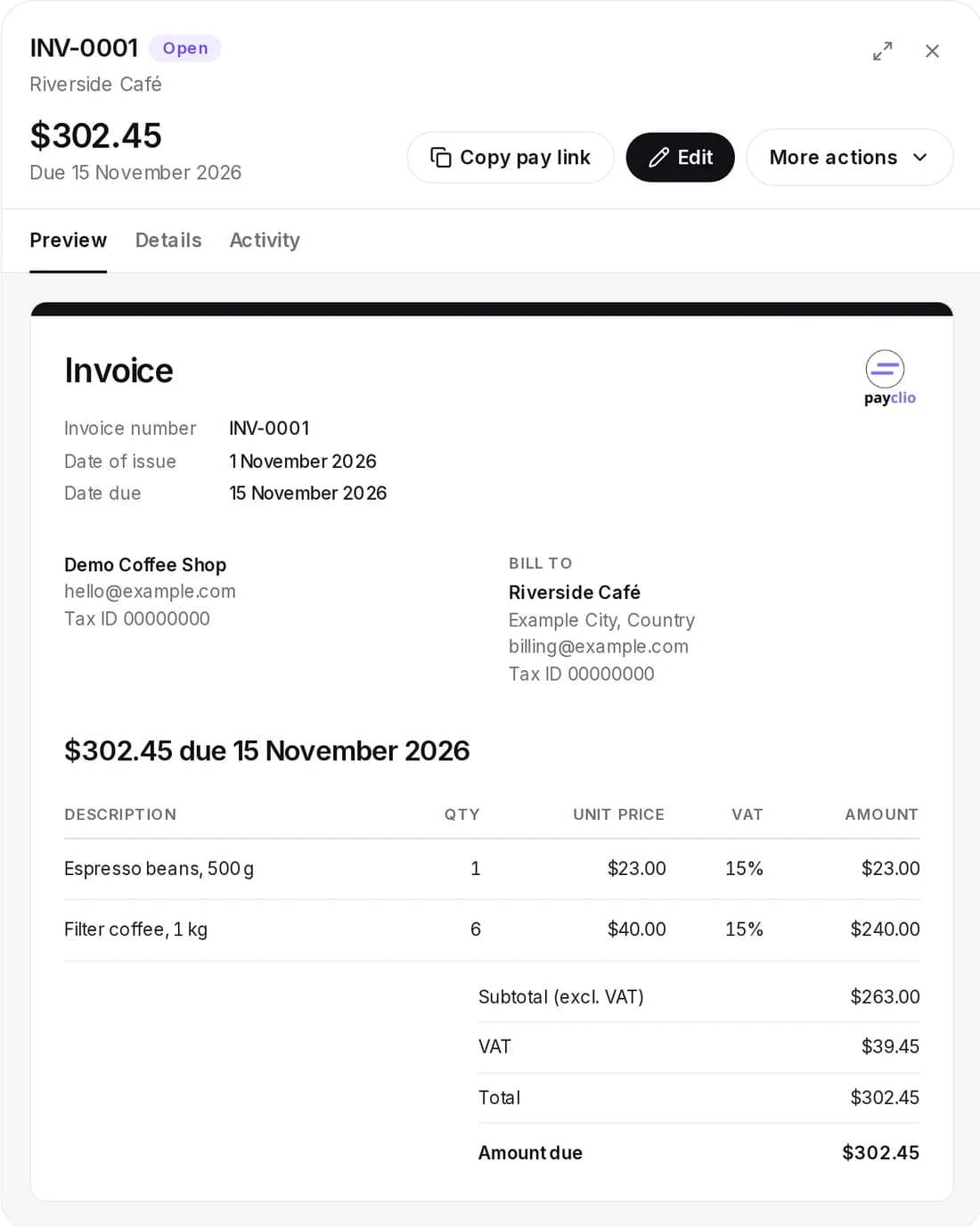
Every invoice has a pay page. Your customer pays by card or Payclio wallet and the invoice marks itself paid.
Reminders for you
Payclio emails your customer before and after the due date, on the days you choose.
Repeat it
Bill the same customer every week, month, quarter or year without making the invoice again.
How it works
Three steps.
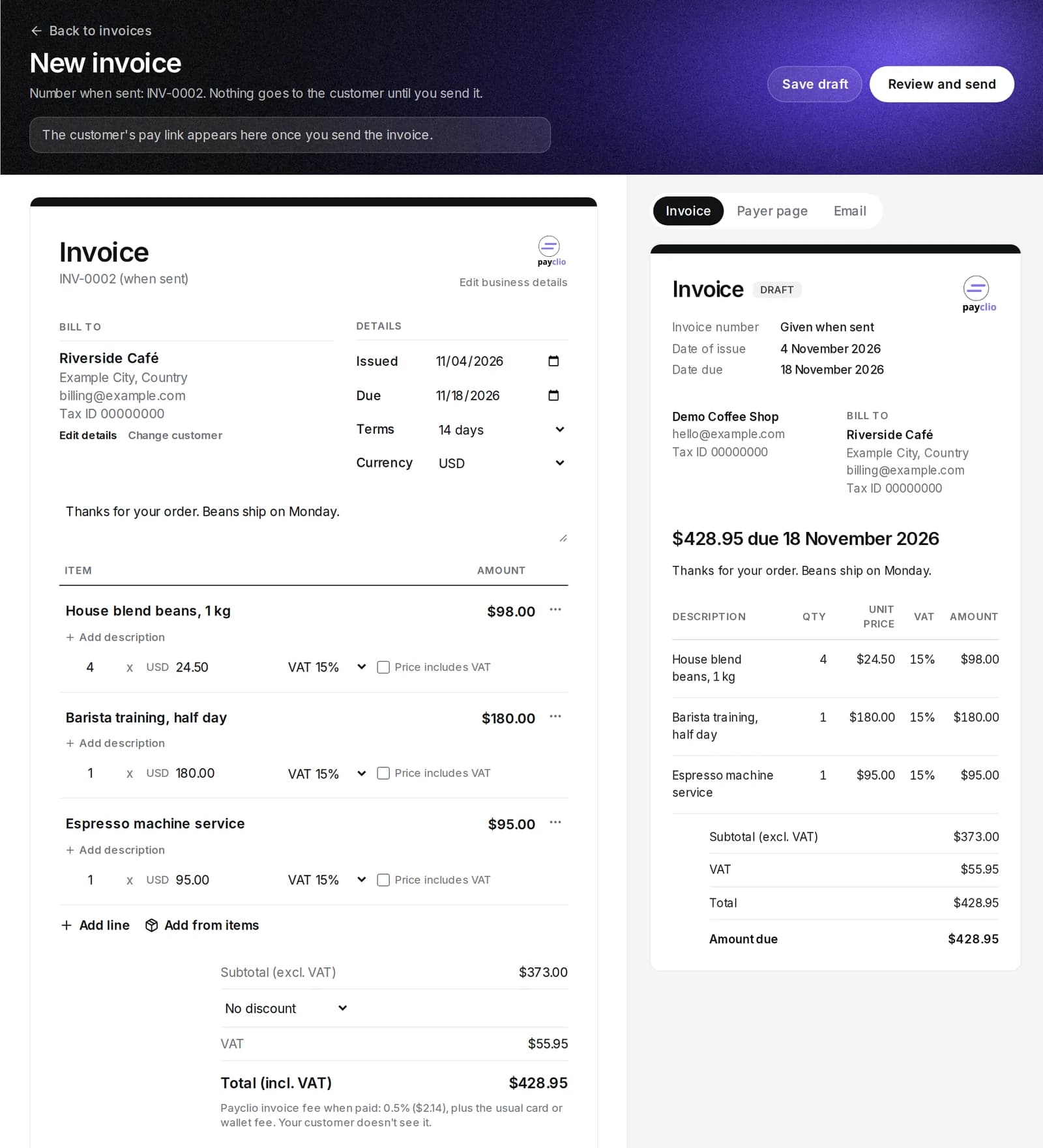
Make the invoice
Pick a saved customer or type one in. Add lines from your saved products or write them, with VAT and a discount if you need them.
Send it
Payclio gives it the next number and emails it with a link to pay. Or copy the link and send it yourself.
Get paid
Your customer pays online. The money goes to the wallet you chose and you get an email.
Reminders
Choose when Payclio reminds them.
- 7, 3 or 1 day before the due date
- On the due date
- 1, 3, 7, 14 or 30 days after
Reminders stop when the invoice is paid, and go out in the morning where your business is.
Everything else
The details are done.
- Saved customers and saved products and services
- VAT per line, prices with or without VAT
- Discount by percent or amount
- Your number format, with yearly or monthly restarts if you want them
- Card and wallet payment, turn either off per invoice
- PDF download for you and your customer
- Due dates and overdue follow your own time zone
- Void, mark uncollectible, reopen or copy an invoice
Send your first invoice.
Open a free business account. No monthly fee, you only pay when an invoice is paid.